About Handy Photo
***** “What does it do? Everything... quickly and easily. It’s really awesome!“ - Life In LoFi ***** "Handy Photo is an absolute must buy that delivers an amazing photo editing package..." - AppleNApps ***** “For the...
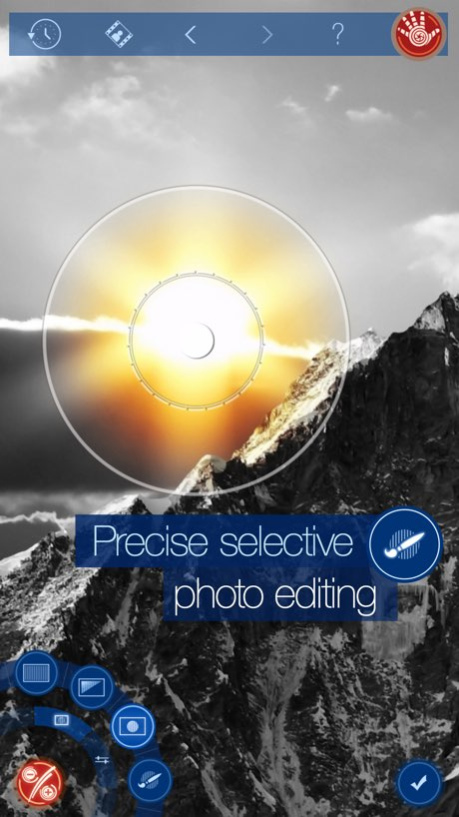
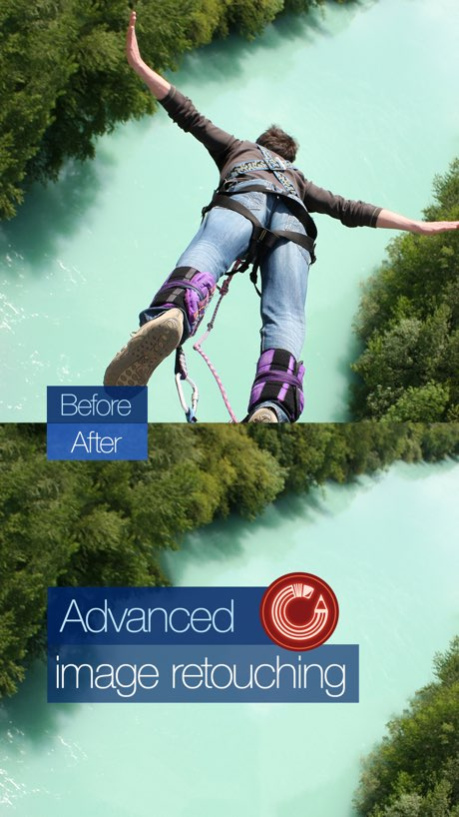
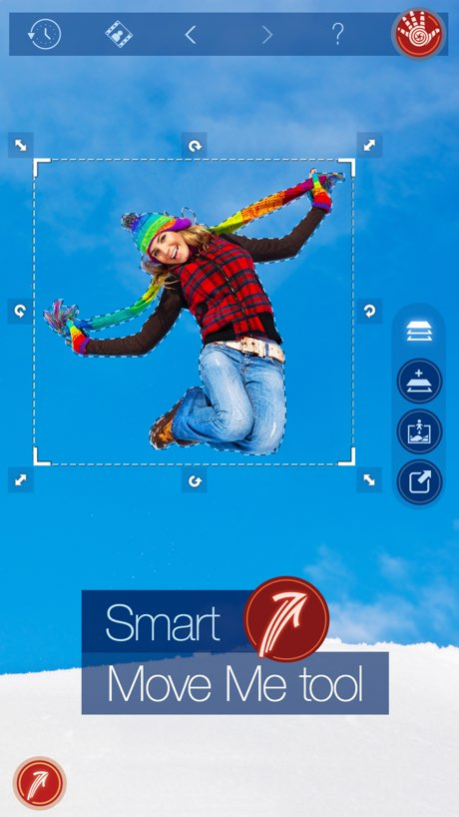
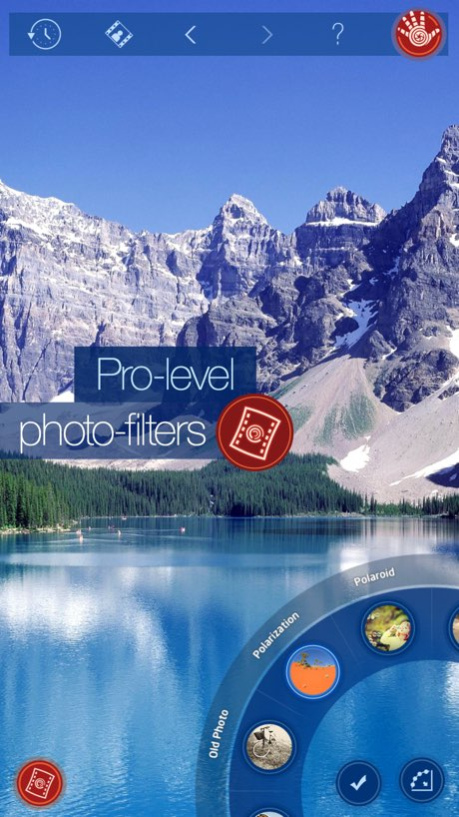
***** “What does it do? Everything... quickly and easily. It’s really awesome!“ - Life In LoFi ***** "Handy Photo is an absolute must buy that delivers an amazing photo editing package..." - AppleNApps ***** “For the features and performance delivered, the app is a must have for all iOS device users who enjoying photo editing.” - ePHOTOzine Welcome to creative photo editing! Handy Photo was designed for those with a strong passion for photo editing. The app is a perfect choice when it comes to correcting and enhancing photos from all possible angles. * Making tonal and color adjustments globally and locally * Improve the general look of your photos by performing both global and local tonal and color corrections in them. With a few taps and swipes only, turn your images into vivid and vibrant works of art. * Retouching photos with ultimate ease * Remove unwanted content from your photos in a tap. Mobile image retouching has never been so fast and easy. * Moving objects from photo to photo * Is it possible to move any object within a single photo or to another image in just a few taps? The answer is yes when it comes to the Move Me tool. With it, you can do the impossible - move objects in photos to the locations they would never move to in real life. * Applying filters to images partially * With the Handy Photo’s powerful photo filters, which include Black and White, Bleach Bypass, Color Standout, Cross Process, Dramatic, Duotone, Fog, Glow, Golden, HDR, Halftone, Ink, Lomo, Old Photo, Polarization, Polaroid, Sepia, Sketch, Smart Contrast, Tilt-Shift, Tiny Planet, Vignette, and Vintage, you can add whatever artistic effects wanted to your images. The filters are all adjustable and, thanks to the partial application feature, can be easily combined within photos. * Adding textures to photos partially * Apply the Handy Photo’s terrific textures to your images to make them truly pop. You can select from the following categories of textures: Abstract, Cloth, Clouds, Frost and Ice, Grunge, Paper, Water, and Wood. All the textures can be adjusted to taste and applied to photos partially. * Uncropping photos in a unique way * The tool is called Magic not accidentally. It allows uniquely uncropping photos. No other app can do that. Moreover, it allows straightening crooked horizon lines in photos without sacrificing their original size. * Adding attention-grabbing frames to images * Before showing your photo to the whole world, it’s quite important to appropriately frame it. The Handy Photo’s excellent collection of frames serves just that purpose. Put the final touches on your photos by adding the following frames to them: Autumn Leaves, Carton, Film, Glass, Grunge, Lace, Paint Splashes, Pencil Sketch, Photo Album, Polaroid, Retro Photo, Sea Shell, Torn Paper, and Vintage. * APP FEATURES * - Global and local tone and color correction options - Partial application option in Filters tool - Advanced retouching technology for mobile platforms - Move Me technology for smart objects extraction and moving - Magic Crop tool with unique photo “un-cropping” function - High-quality textures and frames - 100% size image editing - Up to 36 MP image support - RAW format support - Optimized for multi-core and GPU processors - Stylish and intuitive UI * DEVICES SUPPORT * Supports all iDevices, including iPhone 4/4s/5/5s/5c, iPod touch 4th Generation and newer, and all iPads. 5 MP - iPod touch 4th Generation / iPad 10 MP - iPhone 4 / iPhone 4s / iPod touch 5th Generation 15 MP - iPad 2 / iPad mini 36 MP - iPhone 5 / iPhone 5s / iPhone 5c / iPad 3 / iPad 4 / iPad Air The images of the resolution higher than maximum allowed will be automatically resized. * WEBSITE * http://adva-soft.com/products/handy-photo/ Download Handy Photo right now and enjoy unlimited photo-editing freedom!
Version History - Older generation devices again supported (disabled accidentally) - Import Layer bug in Move Me fixed 2.4.1 11/23/2016 - Image picker updated - Minor bug fixes and improvements 2.4 11/18/2016 - Optimizations specific to the iPad Pro: bigger images to open - Textures downloading fixed - Other fixes and improvements 2.3.3 11/16/2015 Ready for iPhone 6s and iPhone 6s Plus 2.3.2 10/08/2015 Some fixes and improvements 2.3.1 09/11/2015 - Added possibility to export in different formats and resolutions; - Added new frames; - Added possibility to import layers in Move Me; - Fixed EXIF issues; - Fixed some problems with filters on new devices; - Fixed some crashes after restore session; - Fixed top menu on new devices; - Other fixes and improvements. Thank you for staying with us :-)! 2.3 03/18/2015 Fixed crashes in Filters on iPad Air 2, iPhone 6 Plus Minor fixes & improvements 2.2.1 12/18/2014 - iOS 8, iphone 6, iphone 6 plus compatibility fixes; - Added iTunes File Sharing support; - RAW image compatibility update; - Small fixes and improvements. 2.2.0 10/10/2014 - Added Auto Save feature; - Added ability to open photos from other apps; - Added ability to save layers into separate files; - Added support for two more languages: Polish, Czech; - Added new categories of textures: Leaves; Stone and Wall; - Added new categories of frames: Plain, Transparent, Trimmed Corners, Rounded, Blurred, Inner Line, Double Edges, Striped; - Re-arranged frame categories; - Improved social networking integration (Tumblr added); - and more! 2.1.0 07/11/2014 Small fixes and improvements Some UI bugs fixed for iPhone 5s and iPad Air 2.0.1 02/07/2014 • Completely redesigned UI • Added ability to selectively adjust tone and color: Linear gradient mask, Elliptical gradient mask, and Masking brush modes • Edge-aware application feature in Elliptical gradient mask mode • Color-picking feature in Linear gradient mask mode • Solid and Edge-aware brushes in Masking brush mode • Added ability to partially apply filters and textures • Added new textures category: Abstract • Added new frames categories: Autumn Leaves, Glass, Grunge, Halftone, Lace, Paint Splashes, Pencil Sketch, Sea Shell, Torn Paper, Vintage • Added ability to move/scale textures • Added on-screen instructions • Added scratches to Old Photo, Sepia, and Vintage filters • Improved Sketch filter • Added ability to see images formats in gallery • Added ability to import files from iTunes • Added Reset button • Improved UI usability • Some minor bugs fixed 2.0 01/03/2014 - Added possibility to open RAW images - Added possibility to upload photos to Flickr and Instagram - Added “Open in other apps” feature - Added possibility to download textures - Optimized app binary size - Sorted list of albums - Improved Sketch filter - Improved UI 1.1 05/20/2013 1.0 03/13/2013
Previous Versions
Here you can find the changelog of Handy Photo since it was posted on our website on 2016-09-23 13:49:54.
The latest version is 2.4.1 and it was updated on 2026-10-13 22:55:49. See below the changes in each version.
Handy Photo version 2.4.1
Updated At: 2026-10-13
Changes: Version History - Older generation devices again supported (disabled accidentally)
- Import Layer bug in Move Me fixed 2.4.1 11/23/2016 - Image picker updated
- Minor bug fixes and improvements 2.4 11/18/2016 - Optimizations specific to the iPad Pro: bigger images to open
- Textures downloading fixed
- Other fixes and improvements 2.3.3 11/16/2015 Ready for iPhone 6s and iPhone 6s Plus 2.3.2 10/08/2015 Some fixes and improvements 2.3.1 09/11/2015 - Added possibility to export in different formats and resolutions;
- Added new frames;
- Added possibility to import layers in Move Me;
- Fixed EXIF issues;
- Fixed some problems with filters on new devices;
- Fixed some crashes after restore session;
- Fixed top menu on new devices;
- Other fixes and improvements.
Thank you for staying with us :-)! 2.3 03/18/2015 Fixed crashes in Filters on iPad Air 2, iPhone 6 Plus
Minor fixes & improvements 2.2.1 12/18/2014 - iOS 8, iphone 6, iphone 6 plus compatibility fixes;
- Added iTunes File Sharing support;
- RAW image compatibility update;
- Small fixes and improvements. 2.2.0 10/10/2014 - Added Auto Save feature;
- Added ability to open photos from other apps;
- Added ability to save layers into separate files;
- Added support for two more languages: Polish, Czech;
- Added new categories of textures: Leaves; Stone and Wall;
- Added new categories of frames: Plain, Transparent, Trimmed Corners, Rounded, Blurred, Inner Line, Double Edges, Striped;
- Re-arranged frame categories;
- Improved social networking integration (Tumblr added);
- and more! 2.1.0 07/11/2014 Small fixes and improvements
Some UI bugs fixed for iPhone 5s and iPad Air 2.0.1 02/07/2014 • Completely redesigned UI
• Added ability to selectively adjust tone and color: Linear gradient mask, Elliptical gradient mask, and Masking brush modes
• Edge-aware application feature in Elliptical gradient mask mode
• Color-picking feature in Linear gradient mask mode
• Solid and Edge-aware brushes in Masking brush mode
• Added ability to partially apply filters and textures
• Added new textures category: Abstract
• Added new frames categories: Autumn Leaves, Glass, Grunge, Halftone, Lace, Paint Splashes, Pencil Sketch, Sea Shell, Torn Paper, Vintage
• Added ability to move/scale textures
• Added on-screen instructions
• Added scratches to Old Photo, Sepia, and Vintage filters
• Improved Sketch filter
• Added ability to see images formats in gallery
• Added ability to import files from iTunes
• Added Reset button
• Improved UI usability
• Some minor bugs fixed 2.0 01/03/2014 - Added possibility to open RAW images
- Added possibility to upload photos to Flickr and Instagram
- Added “Open in other apps” feature
- Added possibility to download textures
- Optimized app binary size
- Sorted list of albums
- Improved Sketch filter
- Improved UI 1.1 05/20/2013 1.0 03/13/2013
Handy Photo version 2.4.1
Updated At: 2026-09-04
Changes: Version History This app has been updated by Apple to prepare for watchOS 27 compatibility. No new features are included.
- Older generation devices again supported (disabled accidentally)
- Import Layer bug in Move Me fixed 2.4.1 11/23/2016 - Image picker updated
- Minor bug fixes and improvements 2.4 11/18/2016 - Optimizations specific to the iPad Pro: bigger images to open
- Textures downloading fixed
- Other fixes and improvements 2.3.3 11/16/2015 Ready for iPhone 6s and iPhone 6s Plus 2.3.2 10/08/2015 Some fixes and improvements 2.3.1 09/11/2015 - Added possibility to export in different formats and resolutions;
- Added new frames;
- Added possibility to import layers in Move Me;
- Fixed EXIF issues;
- Fixed some problems with filters on new devices;
- Fixed some crashes after restore session;
- Fixed top menu on new devices;
- Other fixes and improvements.
Thank you for staying with us :-)! 2.3 03/18/2015 Fixed crashes in Filters on iPad Air 2, iPhone 6 Plus
Minor fixes & improvements 2.2.1 12/18/2014 - iOS 8, iphone 6, iphone 6 plus compatibility fixes;
- Added iTunes File Sharing support;
- RAW image compatibility update;
- Small fixes and improvements. 2.2.0 10/10/2014 - Added Auto Save feature;
- Added ability to open photos from other apps;
- Added ability to save layers into separate files;
- Added support for two more languages: Polish, Czech;
- Added new categories of textures: Leaves; Stone and Wall;
- Added new categories of frames: Plain, Transparent, Trimmed Corners, Rounded, Blurred, Inner Line, Double Edges, Striped;
- Re-arranged frame categories;
- Improved social networking integration (Tumblr added);
- and more! 2.1.0 07/11/2014 Small fixes and improvements
Some UI bugs fixed for iPhone 5s and iPad Air 2.0.1 02/07/2014 • Completely redesigned UI
• Added ability to selectively adjust tone and color: Linear gradient mask, Elliptical gradient mask, and Masking brush modes
• Edge-aware application feature in Elliptical gradient mask mode
• Color-picking feature in Linear gradient mask mode
• Solid and Edge-aware brushes in Masking brush mode
• Added ability to partially apply filters and textures
• Added new textures category: Abstract
• Added new frames categories: Autumn Leaves, Glass, Grunge, Halftone, Lace, Paint Splashes, Pencil Sketch, Sea Shell, Torn Paper, Vintage
• Added ability to move/scale textures
• Added on-screen instructions
• Added scratches to Old Photo, Sepia, and Vintage filters
• Improved Sketch filter
• Added ability to see images formats in gallery
• Added ability to import files from iTunes
• Added Reset button
• Improved UI usability
• Some minor bugs fixed 2.0 01/03/2014 - Added possibility to open RAW images
- Added possibility to upload photos to Flickr and Instagram
- Added “Open in other apps” feature
- Added possibility to download textures
- Optimized app binary size
- Sorted list of albums
- Improved Sketch filter
- Improved UI 1.1 05/20/2013 1.0 03/13/2013
Handy Photo version 2.4.1
Updated At: 2026-08-22
Changes: Version History This update from Apple will improve the functionality of this app. No new features are included.
- Older generation devices again supported (disabled accidentally)
- Import Layer bug in Move Me fixed 2.4.1 11/23/2016 - Image picker updated
- Minor bug fixes and improvements 2.4 11/18/2016 - Optimizations specific to the iPad Pro: bigger images to open
- Textures downloading fixed
- Other fixes and improvements 2.3.3 11/16/2015 Ready for iPhone 6s and iPhone 6s Plus 2.3.2 10/08/2015 Some fixes and improvements 2.3.1 09/11/2015 - Added possibility to export in different formats and resolutions;
- Added new frames;
- Added possibility to import layers in Move Me;
- Fixed EXIF issues;
- Fixed some problems with filters on new devices;
- Fixed some crashes after restore session;
- Fixed top menu on new devices;
- Other fixes and improvements.
Thank you for staying with us :-)! 2.3 03/18/2015 Fixed crashes in Filters on iPad Air 2, iPhone 6 Plus
Minor fixes & improvements 2.2.1 12/18/2014 - iOS 8, iphone 6, iphone 6 plus compatibility fixes;
- Added iTunes File Sharing support;
- RAW image compatibility update;
- Small fixes and improvements. 2.2.0 10/10/2014 - Added Auto Save feature;
- Added ability to open photos from other apps;
- Added ability to save layers into separate files;
- Added support for two more languages: Polish, Czech;
- Added new categories of textures: Leaves; Stone and Wall;
- Added new categories of frames: Plain, Transparent, Trimmed Corners, Rounded, Blurred, Inner Line, Double Edges, Striped;
- Re-arranged frame categories;
- Improved social networking integration (Tumblr added);
- and more! 2.1.0 07/11/2014 Small fixes and improvements
Some UI bugs fixed for iPhone 5s and iPad Air 2.0.1 02/07/2014 • Completely redesigned UI
• Added ability to selectively adjust tone and color: Linear gradient mask, Elliptical gradient mask, and Masking brush modes
• Edge-aware application feature in Elliptical gradient mask mode
• Color-picking feature in Linear gradient mask mode
• Solid and Edge-aware brushes in Masking brush mode
• Added ability to partially apply filters and textures
• Added new textures category: Abstract
• Added new frames categories: Autumn Leaves, Glass, Grunge, Halftone, Lace, Paint Splashes, Pencil Sketch, Sea Shell, Torn Paper, Vintage
• Added ability to move/scale textures
• Added on-screen instructions
• Added scratches to Old Photo, Sepia, and Vintage filters
• Improved Sketch filter
• Added ability to see images formats in gallery
• Added ability to import files from iTunes
• Added Reset button
• Improved UI usability
• Some minor bugs fixed 2.0 01/03/2014 - Added possibility to open RAW images
- Added possibility to upload photos to Flickr and Instagram
- Added “Open in other apps” feature
- Added possibility to download textures
- Optimized app binary size
- Sorted list of albums
- Improved Sketch filter
- Improved UI 1.1 05/20/2013 1.0 03/13/2013
Handy Photo version 2.4.1
Updated At: 2016-11-23
Changes: This app has been updated by Apple to display the Apple Watch app icon.
- Older generation devices again supported (disabled accidentally)
- Import Layer bug in Move Me fixed
Handy Photo version 2.4.1
Updated At: 2016-11-23
Changes: Nov 23, 2016 Version 2.4.1
This app has been updated by Apple to use the latest Apple signing certificate.
- Older generation devices again supported (disabled accidentally)
- Import Layer bug in Move Me fixed
Handy Photo version 2.4.1
Updated At: 2016-11-23
Changes: 23. Nov. 2016 Version 2.4.1
- Older generation devices again supported (disabled accidentally)
- Import Layer bug in Move Me fixed
Handy Photo version 2.4.1
Updated At: 2016-11-23
Changes: Nov 23, 2016 Version 2.4.1
- Older generation devices again supported (disabled accidentally)
- Import Layer bug in Move Me fixed
Handy Photo version 2.4.1
Updated At: 2016-11-23
Changes: Nov 23, 2016 Version 2.4.1
This app has been updated by Apple to display the Apple Watch app icon.
- Older generation devices again supported (disabled accidentally)
- Import Layer bug in Move Me fixed
Handy Photo version 2.3.3
Updated At: 2013-03-19
Handy Photo version 2.4.1
Updated At: 1970-01-01
Changes: 23 нояб. 2016 г. Version 2.4.1
- Older generation devices again supported (disabled accidentally)
- Import Layer bug in Move Me fixed
Disclaimer
Official App Store Link
We do not host Handy Photo on our servers. We did not scan it for viruses, adware, spyware or other type of malware. This app is hosted by Apple and passed their terms and conditions to be listed there. We recommend caution when installing it.
The App Store link for Handy Photo is provided to you by apps112.com without any warranties, representations or guarantees of any kind, so access it at your own risk.
If you have questions regarding this particular app contact the publisher directly. For questions about the functionalities of apps112.com contact us.